
![Olabisi Onabanjo University, Ago-iwoye[OOU] Post-UTME Screening/Exam Date for 2020/2021 Academic Session Now Announced](https://www.campusinfo.com.ng/wp-content/uploads/2020/07/oou-1.png)
Olabisi Onabanjo University, Ago-iwoye[OOU] Post-UTME Screening/Exam Date for 2020/2021 Academic Session Now Announced

OLABISI ONABANJO UNIVERSITY, AGO-IWOYE
2020/2021 PUTME SCREENING
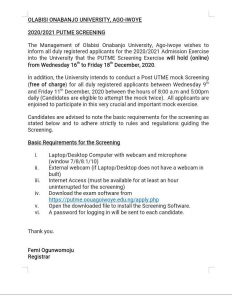
The Management of Olabisi Onabanjo University, Ago-Iwoye wishes to inform all duly registered applicants for the 2020/2021 Admission Exercise into the University that the PUTME Screening Exercise will hold (online) from Wednesday 16th to Friday 18th December, 2020.
In addition, the University intends to conduct a Post UTME mock Screening (free of charge) for all duly registered applicants between Wednesday 9th and Friday 11th December, 2020 between the hours of 9:00 a.m and 5:00pm daily. All applicants are enjoined to participate in this very crucial and important mock exercise.
Candidates are advised to note the basic requirements for the screening as stated below and to adhere strictly to rules and regulations guiding the Screening.
Basic Requirements for the Screening
i. Laptop/Desktop Computer with webcam and microphone (window 7/8/8.1/10)
ii. External webcam (if Laptop/Desktop does not have a webcam in built)
iii. Internet Access (must be available for at least an hour uninterrupted for the screening)
iv. Make sure you download and install the software at least 48 before your exam date.
v. Download the exam software from
https://drive.google.com/file/d/1SfFxmjjvDw3P7YMVDtZH_jCN2nIxt5Pr/view?usp=sharing
PUTME Mock Examination Procedure
1. Ensure you are ALONE in a SILENT ROOM with enough light.
2. Connect your Laptop Computer to the Internet
3. Open the SABOSI Exam software that you have previously downloaded and installed.
4. Login with your JAMB REGISTRATION NUMBER as USERNAME and your SURNAME as
PASSWORD
5. If your login is successful, you will be asked to verify your Identity. During this verification, your Face will be captured by the Webcam when you Press the CAPTURE Button after the image has been captured you are to press VERIFY for the system to complete the process.
6. After a successful Authentication and Verification, you will see your name and your picture and under it there will be a PROCEED TO EXAM BUTTON which takes you to the Examination.
7. Click on the Exam you are to take and then click on ATTEMPT QUIZ and begin to answer the Question.
8. When you have successfully answered the questions, click on FINISH ATTEMPT, then Scroll down on the next page and Click SUBMIT ALL AND FINISH.
9. A prompt will pop up with this message “Once you submit, you will no longer be able to change your answers for this attempt.” If you are sure you want to submit click SUBMIT ALL AND FINISH
10. Then click on your name at the top right corner of the exam page then click LOGOUT
11. After which you can now close the SABOSI Exam Software.
NOTE: If while answering the questions your internet goes off, the software will save your attempt up to that level and allow you to fix your connection. Then right click on the exam page and select reload to reload the page and continue the examination.
Thank you.
Femi Ogunwomoju
Registrar

Join Our Community
Stay ahead with exclusive campus news, admission updates, scholarships and student opportunities.
You May Also Like
More





Be the first to comment