

Olabisi Onabanjo University Now Has 70 Fully Accredited Courses – Vice Chancellor
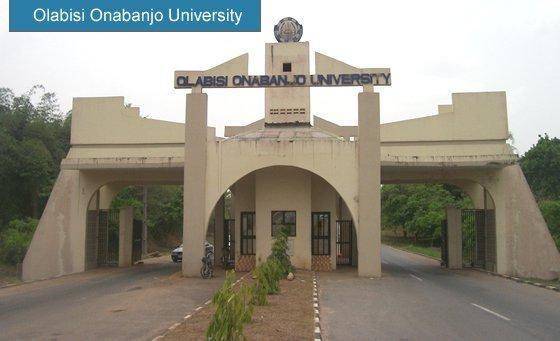
The Olabisi Olabanjo University has received full accreditation of the 4 programmes presented by the university to the National Universities Commission, NUC, during the October/November 2019 Accreditation of Academic Programmes. The four programmes are Transport Management, Physiology, Fine and Applied Arts, and Applied Zoology
This has brought the total number of Full accredited courses in the university to 72. 70. Anatomy and Architecture programmes have Interim and Denied status, respectively
According to the Vice-Chancellor of the University, the deficiencies identified in the accreditation status of these two programmes were largely due to inadequacy in space and are being addressed by the on-going construction of Departmental building for the Anatomy and Morbid Anatomy Department in Sagamu Campus and the construction of six modern studios for the Architecture programme at the lbogun Campus.
He mentioned that with this development, the University has moved from 76% FULL accreditation status of the academic programmes offered in the university as at the time he assumed office in 2017 to 97.2%.
While appreciating the entire University community, the VC said, “This is arguably one of the best in the Nigerian University System and it has been achieved with the support of all staff and that of Council, and goodwill of the State Government. It is my prayer that this momentum will be sustained during the upcoming accreditation of 44 academic programmes that are due in November 2020. I have no doubt that with your usual support and our ‘CAN DO’ spirit, and the anticipated release of funds and goodwill of the State Government, we shall also record successful outcomes.”
Both for those of us back to our duties and those still working from home, in line with the recent directives of the State Government, I enjoin you to continue to observe strictly the guidelines of the National Centre for Disease Control on the prevention measures against the Coronavirus disease including use of face masks, frequent hand washing, use of sanitizers, and social and physical distancing, among others. Whether at home or at work, we should strive to be safe at all times.
Together shall we achieve the dreams of the founding fathers of OOU to build a University we can all be proud of.”

Join Our Community
Stay connected with the latest updates, exclusive content, and be part of our growing community!
Latest Posts
View AllNigerian Defence Academy (NDA) Entrance Exam Date & Subject Combinations – 72nd Regular Course [UPDATED]
![Nigerian Defence Academy (NDA) Entrance Exam Date & Subject Combinations – 72nd Regular Course [UPDATED]](https://www.campusinfo.com.ng/wp-content/uploads/2020/05/NDA3-1.jpg)
Latest Update: The Nigerian Defence Academy (NDA) Screening Test for 72 Regular Course was earlier scheduled to hold on 30 May 2020 as indicated on the application portal. However, due to the outbreak of COVID-19 pandemic and the subsequent measures put in place by the Federal Government to prevent further spread through interstate lockdown and restrictions on travels, the Screening Test is hereby postponed. New date for the Test will be communicated in due course when the current situation improves. However, candidates are advised to check the portal regularly for updates. Inconveniences caused by this new development is highly regretted.
Applicants who successfully completed and submitted their applications are invited to the NDA Entrance Examination.
Conduct of NDA Entrance Examination for 72 Regular Course is scheduled to hold on Saturday, 30 May, 2020.
In the light of this, candidates who duly applied to the Nigerian Defence Academy and successfully scored minimum of 180 (One Hundred and Eighty) in UTME are advised to visit application portal on the NDA website to select the examination centre of their choice and print out their examination card
NDA Entrance Exam Subjects Combinations.
A. Candidates for FASS. Candidates for FASS are to answer all questions in any THREE of the following subjects that are applicable to the candidate’s chosen course:
1) Mathematics – (Compulsory for Psychology candidates).
(2) Economics.
(3) Geography.
(4) History.
(5) Government.
(6) French.
(7) Biology – (Compulsory for Psychology candidates).
B. Candidates for Sciences. Candidates for courses in Faculty of Science are to answer questions as follows:
Mathematics (Mathematics and any 2 of Physics, Chemistry and Economics).
Physics (Physics and any 2 of Mathematics, Chemistry and Biology).
Chemistry (Chemistry and any 2 of Physics, Biology and Mathematics).
Biology (Biology and any 2 of Chemistry, Physics and Mathematics).
Candidates for Engineering. Candidates for the Faculty of Engineering are to answer ALL questions in the 3 subjects listed below:
(1) Mathematics.
(2) Physics.
(3) Chemistry.
C. Candidates for Military Science and Interdisciplinary Studies. Candidates for Intelligence & Cyber Security Studies are to answer the following:
Mathematics
Physics and
Anyone of Biology, Chemistry or Economics.
Please note that only those with duly printed Examination Card will be admitted into the various centres for the test.
Join Our Community
Stay connected with the latest updates, exclusive content, and be part of our growing community!
Latest Posts
View AllUniversity of Ilorin Sandwich Admission Form for 2020 Contact Session | Postgraduate, Undergraduate and Sub-degree Announced

Applications are hereby invited from qualified candidates for admission into the underlisted programmes of the Institute of Education, University of Ilorin, for the 2020 Sandwich Contact Session.
UNILORIN Sandwich Postgraduate, Undergraduate and Sub-Degree Programmes & Requirements.
(A) Bachelor Degree Programmes
B. A. (Ed.) Degree Programmes in:
Arabic; Christian Studies; English; French; History; Islamic Studies; Social Studies; and Yoruba.
B. Sc. (Ed.) Degree Programmes in:
Agriculture; Biology; Business Education; Chemistry; Computer Science; Economics; Educational Technology; Geography; Health Education; Human Kinetics; Mathematics; Physics; Social Studies; and Technology Education (i.e.Wood work; Electrical Electronic; Metal work and Building).
B. Ed. Degree Programmes in:
Primary Education Studies; Adult Education; Counsellor Education; and Educational Management.
(B) Postgraduate Diploma Programmes:
Postgraduate Diploma in Education (PGDE) and Postgraduate Diploma in Educational Technology (PGDET)
(C) Master of Education Degree Programmes:
Educational Guidance and Counselling; Educational Management; Primary Education; Educational Psychology; Measurement and Evaluation; History of Education; Arabic Education; Comparative Education; Sociology of Education; Social Studies; Curriculum Studies in Social Sciences Education; Religious Studies Education; English Language Education; Mother-Tongue Education; Curriculum Studies in Arts Education; Science Education (Biology, Chemistry, Mathematics & Physics); Curriculum Studies in Educational Technology (with options in Assistive Technology, Distance Education, E-Learning and Instructional Technology); Physical Education (with options in Administration and Management of Sports, Human Kinetics Education, Exercise & Sports Sciences, Recreation, Leisure and Tourism), Health Education/Public Health Education (with options in Nutrition Education, Drug Education, Family Life and Reproductive Health, Community Health & Primary Health Care and School Health Education).
(D) Sub-Degree Diploma Programmes:
Postgraduate Diploma in Education (PGDE) and Postgraduate Diploma in Educational Technology (PGDET).
ADMISSION REQUIREMENTS
1. For B. A. (Ed.), B.Sc. (Ed.) and B. Ed. Degree Programmes:
Nigeria Certificate in Education (NCE) with Credit in One or Two other relevant teaching subjects;
“A” Level Passes in GCE/IJMB/NABTEB/JUPEB or its equivalent;
ND/OND are also accepted for selected courses: Arabic, Christian Studies, History, Human Kinetics, Health Education, Islamic Studies, Computer Science Education, Educational Technology and Technology Education. In addition, an applicant must possess at least five “O” Level credit passes in English Language, Mathematics and three other relevant subjects (see adverts on the Unilorin Website for details).
2. For the Postgraduate Diploma in Education (PGDE) Programmes:
A Bachelor’s degree from any recognised University with a minimum of Third Class Honours degree is required. Higher National Diploma with at least an Upper Credit obtained from a recognised Polytechnic or an allied Institution is equally acceptable.
3. For Postgraduate Diploma in Educational Technology (PGDET):
A Bachelor of Education Degree (B.Ed.; B. A. (Ed.); B.Sc. (Ed.); B. Tech (Ed.) with a minimum of Third Class Honours from the University of Ilorin or an equivalent Degree recognised by the Senate of the University of Ilorin.
A Bachelor’s Degree (B. A.; B.Sc.; B. Tech) with a minimum of Third Class Honours and Postgraduate Diploma in Education (PDGE) recognised by the Senate of the University.
4. For M.Ed. Degree Programmes:
A good First Degree in Education with a minimum of Second Class Honours (Lower Division).
A good First Degree in other disciplines with a minimum of Second Class Honours (Lower Division) plus Postgraduate Diploma in Education (PGDE) obtained at Credit Level from a recognised University.
Third Class Honour degree in Education with a Postgraduate Diploma in Educational Technology (with a Minimum of 60% pass grade); acceptable for admission into M.Ed. Educational Technology programme only.
Third Class Honour degree in other disciplines (B.A., B.Sc., B. Tech., etc plus Postgraduate Diploma in Education (PGDE) obtained at Credit level from a recognised University and a Postgraduate Diploma in Educational Technology (with a minimum of 60% pass grade); acceptable for admission into M.Ed. Educational Technology programme only.
5. For Sub-Degree Diploma Programmes:
Human Kinetics and Health Education:
At least 5 O’ Level Credit passes at SSCE/GCE/TCII/NABTEB or equivalent, including English Language and Mathematics, at not more than two sittings.
Arabic Education:
WASC/GCE/TCII/Higher Islamic Studies Certificate (HISC); Senior Secondary School Certificate with Credit/Merit in at least four subjects; one of which must be Arabic.
Diploma in the teaching of Arabic or Islamic Studies of Ahmadu Bello University, Zaria.
Photography, Instructional Radio & Television Production and Creative Arts.
Candidates willing to proceed to the degree programmes must possess the pre-requisite five “O” Level passes at Credit level for relevant programmes.
NB: Please note that at least a Credit pass in Mathematics and English at “O” Level in addition to 3 relevant subjects are required to qualify for admission into Sub-degree, Degree and Master Degree programmes.
ADMISSION REQUIREMENTS
Admission requirements are as stated above. For more information, interested applicants should visit Unilorin website (https://www.unilorin.edu.ng) and click on Institute of Education portal for online application.
All applicants seeking Undergraduate Admissions are required to register online with Joint Admissions and Matriculation Board (JAMB). Note that the registration does not involve sitting for Unified Tertiary Matriculation Examination (UTME). Visit JAMB Facility portal via http://www.jamb.org.ng/eFacility./Login and follow the necessary instructions.
How to Apply for UNILORIN Sandwich Admission.
APPLY HERE
https://ioe.unilorin.edu.ng/ioe_app_remita.php
APPLICATION FEES
Postgraduate Studies and Postgraduate Diplomas = N25,000.00
Undergraduate and Sub-degree Diplomas = N10,000.00
APPLICATION PAYMENT SHOULD BE MADE ONLINE WITH ATM (MASTER CARD OR VISA CARD). CASH PAYMENT IS NOT ALLOWED.
REGISTRATION: Registration for admission is online at Unilorin and JAMB websites.
CLOSING DATE FOR SALE AND SUBMISSION OF APPLICATION FORM : Postgraduate, Undergraduate, and Sub-degree Diploma: 21st June, 2020
Join Our Community
Stay connected with the latest updates, exclusive content, and be part of our growing community!
Latest Posts
View AllOgun State College Of Health Technology (OSCOHTECH) Admission Form for 2020/2021 Academic Session Now on Sale

Applications are invited from suitably qualified candidates for admission into the Ogun State College Of Health Technology (OSCOHTECH), llese- Ijebu, Certificate, Diploma, National Diploma and Higher National Diploma in health and health related programmes for the 2020/2021 academic session.
OSCOHTECH General Admission Requirements.
i. The admission requirements for any of our National Diploma (ND) Programme is a minimum of five (5) credits O/level passes, in English Language, Mathematics, Chemistry, Physic and Biology obtain in WAEC/NECO or NABTEB in not more than two (2) sittings. However, all applicants for National Diploma (ND) programme should also endeavour to obtain JAMB form.
ii Details of each programme requirements are explicitly stated below. Applicants are advised to carefully read the requirements before making their application as error in the choice of course by applicants will not be tolerated.
iii. Applicants awaiting results are free to apply. Such applicants should indicate AR in the column for O/Level Results on the Application Form. However, the O/Level Results being awaited must be ready before admission exercise as no student would be considered for admission without O/Level Results.
iv. The requirements for admission into Higher National Diploma (HND) programmes includes; National Diploma (ND) not lower than Lower Credit in relevant course/programme in addition to the Good O/Level requirements stated in (1) above.
How to Apply for OSCOHTECH Admission.
Interested Applicants are to apply and make payment of (N11,730) through the College portal https://my.oscohtechilese.edu.ng/, via web Payment
Deadline: Not Specified.
About OSCOHTECH.
The Ogun State College of Health Technology, Ilese-Ijebu was established on 28th September, 1976 mainly to train middle—level manpower for the delivery of primary health care. Thus becoming the first post-secondary educational institution in the State.
In April 2006, the Governor of the State consequent upon the passage of a bill establishing the College by the State House of Assembly graciously assented the bill into law. Thus, upgrading the College to a full Polytechnic status. The College programmes/courses are regulated by both National Board for Technical Education (NBTE) as well as various professional health Boards/Councils which makes our training unique and holistic. The College had since being graduating top quality middle and senior level manpower for the delivery of health care service in Ogun State particularly and Nigeria as a whole.
The College for programmes/courses at Certificates, Diplomas, National Diplomas (NDs) and Higher National Diplomas (HNDs) levels with emphasis on primary health and other health related areas.
You are welcome to a world of excellence in the promotion of holistic Health.
N.B.: The College has a zero-tolerance policy for examination malpractice, cultism and any unfounded behaviors. Culprits will be punished in line with the College Regulations.
Join Our Community
Stay connected with the latest updates, exclusive content, and be part of our growing community!
Latest Posts
View AllFederal Teaching Hospital, Ido Ekiti School Of Nursing Admission Form for 2020/2021 Academic Session Now on Sale

Applications are invited form suitably qualified candidates for admission into the School Of Nursing – Federal Teaching Hospital, Ido Ekiti, Basic Nursing programme for the 2020/2021 academic session.
Federal Teaching Hospital Ido-Ekiti School Of Nursing Admission Requirements.
Candidates must possess a minimum of Five Credits in WAEC/SSCE/NECO to include English Language, Mathematics, Biology, Chemistry, and Physics at not more than two sittings.
How to Apply for School Of Nursing Ido-Ekiti Admission Form.
Interested candidate should visit the school Official website at
www.sonidoekiti.edu.ng
1. Select Click here http://www.sonidoekiti.edu.ng/register to Register button
2. Indicate candidates Surname, Other names, GSM Phone No and Email Address
3. Click on Submit button to generate Payment Invoice
4. Follow the instructions on how to pay using any of the available options and when your payment is successful, Print your Login Pin and use it complete your registration
5. Select Log In or Complete your Registration button to input relevant data
6. Print out your Exam Gate Pass Card and bring it to exam venue
APPLICATION FEE – N11,000.00 (Eleven Thousand Naira Only).
PAYMENT CHARGE – N161.25K (One Hundred and Sixty One Naira, Twenty Five Kobo).
CLOSING DATE – 20th August, 2020 by 4:00pm.
DATE OF EXAMINATION – 22nd August, 2020 by 10:00am prompt.
EXAM VENUE – As stated on the Exam Gate Pass Card.
For more information, please click on the chat button or call 08034411513, 08073257443 between 8:00am to 4:00pm (Mondays to Fridays) or send your mail to [email protected].
Join Our Community
Stay connected with the latest updates, exclusive content, and be part of our growing community!
Latest Posts
View AllUniversity of Medical Sciences Ondo State (UNIMED) Post-Basic Nursing Programme Admission Form for 2020/2021 Academic Session Updated
The University of Medical Sciences (UNIMED), Ondo, Ondo State hereby invites applications from all eligible candidates for admission into its POST BASIC NURSING PROGRAMME for the 2020/2021 ACADEMIC SESSION.
UNIMED Post Basic Nursing Entry Qualifications.
Candidates must possess the following qualifications:
1. Registered Midwife Professional Certificate (RM) and
2. West African School Certificate Examination “O” Level (WASCE) or National Examination Council (NECO) with at least 5 passes at Credit Level at not more than TWO sittings which must include English Language, Chemistry, Biology, Physics, and Mathematics.
How to Apply for UNIMED Post Basic Nursing Admission Form.
click HERE
https://www.unimed.edu.ng/portal/payment_postbasicnus.php
Prospective candidates are to register online by visiting the University Website (https://unimed.edu.ng) and click on POST BASIC NURSING under ADMISSION.
OPENING DATE OF APPLICATION: 13th May, 2020.
CLOSING DATE OF APPLICATION: 25th May, 2020.
DATE OF EXAMINATION: 28th May, 2020.
APPLICATION FEE: N20,000.00.
MODE OF PAYMENTS: Payment is ONLY via the UNIMED PAYMENT PLATFORM. Log on to www.unimed.edu.ng, Click Admission, Post Basic Nursing, and follow the instructions. PLS NOTE, You can only use VISA or MASTER Card. VERVE Card is not allowed.
DISCLAIMER: Kindly note that the University does NOT have individual/group agents. For the avoidance of doubt, valid and authentic details about admissions into the programmes offered by UNIMED can be obtained only at the University’s administrative and liaison offices; and at the university’s website www.unimed.edu.ng Kindly note also, that valid payments for purchase of forms can only be done as prescribed above and NOT into any individual’s account. Anyone who deals with any individual and/or makes payments into any individual’s account does so at his/her own risk!
Join Our Community
Stay connected with the latest updates, exclusive content, and be part of our growing community!
Latest Posts
View AllLagos State School of Nursing, Igando Admission Form for 2020/2021 Academic Session Now on Sale

Applications are invited from suitably qualified candidates for admission into the Lagos State College of Nursing, Igando Alimosho LGA, Lagos, general nursing training programme for the 2020/2021 academic session.
Lagos State College of Nursing Admission Requirements & Duration.
Entry Requirements: Applicant must possess FIVE CREDIT at not more than two (2) sittings, in the following subject, English Language, Mathematics, Chemistry, Physics and Biology from NECO, WAEC or NABTEB.
Age Range: Candidate must not be less than 18 years.
Study Period: 3 Years.
How to Apply for Lagos State School of Nursing Admission Form.
APPLY HERE
https://lascon.lagosstate.gov.ng/#
1. Click on ‘Start Application’ to start your application and complete the registration form. Please note your password as you will be required to log in with it to complete your application.
2. From the dashboard, click on generate ‘Generate Payment Invoice’
3. You will be presented with an invoice which contain your personalized bank details (bank account, account number and bank name).
4. Please transfer the sum of NGN10,100 to your personalized bank account from online banking application
5. After a successful transfer, your payment status on the portal will be updated and you will be able to complete the admission form.
NOTE: Only applicants with valid examination photocard (colour print) will be allowed to write the entrance exam.
Application closes Friday 13th June, 2020
Examination: Entrance Examination date will be communicated immediately after the lockdown. The examination is computer-based testing and questions will cover English Language, Mathematics, Biology, Physics, Chemistry, General knowledge and Current Affairs.
NB:
i. Applicants are required to have a functional e-mail address and phone number for future contacts.
ii. Candidates are advised to keep their log-in PIN as same will be used for result checking.
iii. Note that first year School fee is Two Hundred and Thirty Thousand Naira (N230,000) only payable before resumption.
For more information, please call 08166224128, 08064915230.
Join Our Community
Stay connected with the latest updates, exclusive content, and be part of our growing community!
Latest Posts
View AllNigeria Defence Academic, NDA dismisses 13 cadets, demotes one for exam fraud
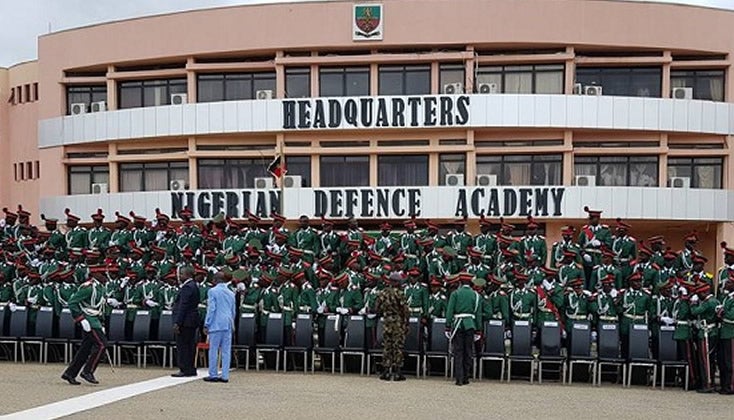
Nigeria Defence Academic, NDA dismisses 13 cadets, demotes one for exam fraud
The Nigeria Defence Academy, Kaduna, has tried and found guilty 14 cadets on various offences, including examination malpractices, indiscipline and other acts of misconduct.
The NDA, established in February 1964, is a degree awarding military institution offering undergraduate and postgraduate programmes.
The campusinfo gathered on Tuesday that 13 cadets were dismissed while one was demoted from the 400 level to 300 level.
The disciplinary action was announced in a signal by the NDA authorities dated May 15, obtained by our correspondent.
NDA Commandant, Maj. Gen. Jamil Sarham, tried 14 cadets on various offences; 13 were dismissed from the academy while one was relegated from the fourth termer (400 level) to three.
“The dismissed cadets have handed over all their military kits to the military police and the process of handing them over to their next-of-kin commenced at 18:06 hours. They exited without hitches.”
Findings indicate that the military authorities did not make arrangements for the trial of the disgraced ex-cadets for exam malpractices.
The Examination Malpractice Act 33 of 1999 stipulates punishment ranging from a fine of N50,000 to N100,000 and imprisonment for a term of three to four years with or without an option of fine.
The Defence spokesman, Brig. Gen. Onyema Nwachukwu, could not be reached for comment on why the dismissed cadets were not prosecuted as he did not respond to calls and SMS
Join Our Community
Stay connected with the latest updates, exclusive content, and be part of our growing community!
Latest Posts
View AllFG gives condition to reopen schools, Churches, Mosques others

The Secretary to the Government of the Federation, Boss Mustapha, has said President Muhammadu Buhari’s decision to extend the eased lockdown for another two weeks is to try and contain the spread of COVID-19, before the economy is fully reopened.
Mustapha, who is also the chairman of the Presidential Task Force on COVID-19, stated this during the daily media briefing on Tuesday.
The first phase of the eased lockdown expired on Monday, May 18.
Buhari has now extended it by another two weeks until June 1.
Mustapha called on schools, places of worship, businesses, offices, etc to use this period to plan and adopt new strategies under a COVID-19 era in line with the guidelines.
According to Mustapha, the decision to reopen the economy slowly, is based on “current experiences from different countries and expert advice”.
He said: “Again, I wish to repeat that the decision is not punitive, we share your pains and also share your concerns. However, our future remains in our hands and compliance is one of the keys to opening that future.
“I must also emphasise that the two additional weeks should be utilized by businesses, offices, professional bodies, places of worship, educational institutions, etc awaiting reopening to plan and adopt new strategies under a COVID-19 era in line with the guidelines.
“Above all, behavioral change is a must for every citizen because COVID 19 has changed the world completely.”
The Nigeria Centre for Disease Control (NCDC) on Tuesday night, announced 226 new cases.
It brings the tally in the country to 6,401.
Join Our Community
Stay connected with the latest updates, exclusive content, and be part of our growing community!
Latest Posts
View AllMeet UNIBEN Student who used bottle covers to create portrait for University’s Vice Chancellor.

Joshua Egesi,a student of university of benin, UNIBEN used over 6000 bottle covers picked from the roadside to create a portrait for the University’s Vice Chancellor as gathered by campusinfo reporters.
See pictures below;


Join Our Community
Stay connected with the latest updates, exclusive content, and be part of our growing community!