

UNIVERSITY OF NIGERIA, NSUKKA (UNN) RELEASES ADMISSION LIST OJ SCHOOL PORTAL FOR 2025/2026 ACADEMIC SESSION
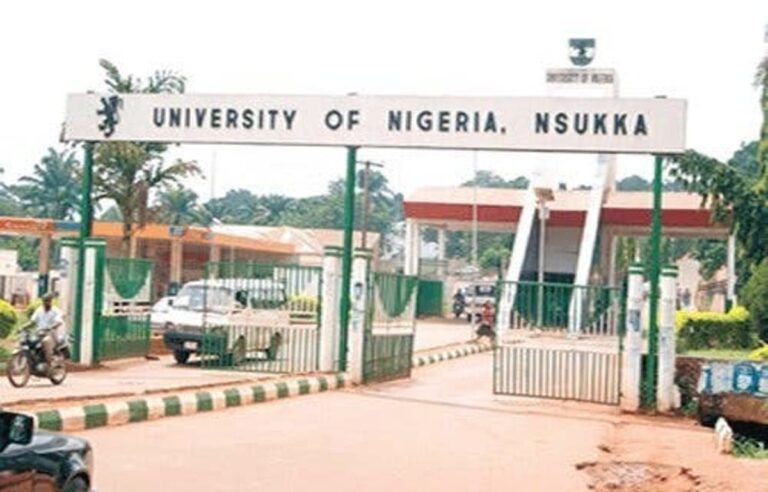
Important Notice to All Candidates Offered Provisional Admission for the 2025/2026 Academic Session 🎉
The management of the University of Nigeria, Nsukka (UNN) wishes to inform all candidates who have been offered provisional admission for the 2025/2026 academic session that they are to follow the instructions below carefully to accept and regularize their admission.
This guide provides a clear step-by-step process to help all newly admitted students understand what to do next after seeing their names on the admission list.
✅ Step 1: Accept Your Admission on JAMB CAPS
All admitted candidates must visit the JAMB Central Admission Processing System (CAPS) to accept their admission offer.
-
Visit the JAMB portal at https://efacility.jamb.gov.ng.
-
Log in using your JAMB email and password.
-
Click on “Check Admission Status” and then “Accept Admission.”
⚠️ Important:
If you do not accept your admission on JAMB CAPS, the university will not be able to process your JAMB Admission Letter, and you will be regarded as “not admitted.” Make sure to accept it before continuing with other steps.
💳 Step 2: Generate Payment Invoice for Acceptance Fee
After accepting your admission, the next step is to visit the University of Nigeria’s official website to begin your payment process.
-
Go to www.unn.edu.ng or unnportal.edu.ng.
-
Log in using your JAMB Registration Number.
-
Generate and download a Payment Invoice that contains a unique Remita Number (RRR).
This invoice allows you to make payments at any commercial bank across Nigeria, including the UNN Microfinance Bank.
💰 Step 3: Pay Your Acceptance Fee
With your generated payment invoice, proceed to any bank of your choice and pay the sum of ₦30,000 (Thirty Thousand Naira only) as the acceptance fee.
Ensure that:
-
The Invoice Number is entered correctly at the bank.
-
You collect a payment confirmation slip that contains both your Confirmation Number and Invoice Number after successful payment.
Keep this slip safe — you’ll need it for the next step.
🧾 Step 4: Print Your Admission Slip and Complete Online Acceptance
Once you’ve made your payment, go back to the UNN Portal to confirm your payment and finalize your acceptance.
-
Log in again to unnportal.edu.ng using your JAMB Registration Number, Confirmation Number, and Invoice Number.
-
Print your Admission Slip and complete the Acceptance Form online.
This process officially confirms your admission status with the university.
💼 Step 5: Proceed to Pay Other Fees and Begin Registration
After completing your acceptance steps, proceed to pay your school fees, hostel fee (if applicable), and other charges as listed on the UNN website.
All payment details, including tuition fees and departmental requirements, will be clearly shown on your student profile page.
After payments, you can start your course registration, document verification, and faculty clearance.
⚠️ NOTE: This Admission is Provisional
Your admission offer is provisional, which means it is based on the information and documents you submitted.
If at any point in the future — even during your final year — it is discovered that:
-
You do not have the minimum university or departmental entry requirements, or
-
You provided false or incomplete information during application,
➡️ Your admission will be withdrawn immediately, regardless of how far you’ve gone in your studies.
Therefore, all candidates are strongly advised to double-check their credentials (O’Level results, UTME subject combination, and other documents) to ensure that they meet the official requirements stated in the JAMB Brochure and University Handbook.
📌 Summary of Key Steps
-
Accept your admission on JAMB CAPS.
-
Visit UNN Portal to generate your Remita Invoice.
-
Pay ₦30,000 acceptance fee at any commercial bank.
-
Log in again to complete your Acceptance Form and print your Admission Slip.
-
Proceed with school fees payment and registration.
🏛️ Important Reminder for Admitted Students
-
Keep photocopies of all payment receipts and acknowledgment slips.
-
Check the UNN website regularly for updates on resumption dates and registration schedules.
-
Do not share your portal login details with anyone.
-
Ensure your O’Level results are correctly uploaded to the JAMB portal, as failure to do so may affect your admission status.
👩💼 Signed:
Dr. (Mrs.) C.N. Nnebedum
Registrar, University of Nigeria, Nsukka (UNN)

Join Our Community
Stay connected with the latest updates, exclusive content, and be part of our growing community!
No Comments Yet