

ASUU Strike Looms As FG Stops Payment Of Salaries To Lecturers Not Enrolled on IPPIS

Report has emerged that the FG has issued a circular mandating the Director of Cash Management to stop salaries of tertiary institutions workers who are yet to be enrolled in the Integrated Personnel and Payroll Information System (IPPIS) platform.
The circular which was signed by the Director of IPPIS was titled: Request for stoppage of Release of Funds For January Salaries To Federal Universities, Polytechnics and College of Education
It reads; “I am directed to inform you that the preparation of January 2020 salary payroll and warrants of the Federal Tertiary institutions are ongoing and will be ready for submission on or before 29th January 2020. This is to give effect to the directive of the Federal Government that all ministries, Departments, and Agencies drawing Personnel Cost from the Consolidated Revenue Fund (CFR) should be enrolled on the Integrated Personnel and Payroll Information System (IPPIS).
In order to actualize this directive, you are please requested not to release the funds for payment of salaries to the Tertiary Institutions as their salaries will henceforth be paid on the IPPIS platform with effect from January 2020.
Please accept the assurances and warm regards of the Accountant General of the Federation.”
Recall that ASUU earlier stated that its members will not join IPPIS as it does not meet the peculiar needs of the union and any move to stop the salaries of its members will lead to another indefinite strike.
With this development, ASUU may make real its threat to embark on indefinite strike.

Join Our Community
Stay connected with the latest updates, exclusive content, and be part of our growing community!
Latest Posts
View AllFirst Class university student sentenced to 13-year imprisonment over fraud in Ondo
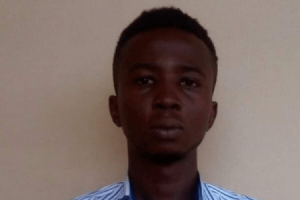
A final year student of Business Administration in a private university located in Ondo State, Fisayo Adetoro, was on Thursday, January 23, 2020, found guilty of impersonation, forgery and money laundering, and sentenced to cumulative 13 years in prison and N1,000,000 (One Million Naira) fine.
Adetoro, who was said to be a first class candidate on 4.5 Cumulative Grade Point Aggregate (CGPA), was convicted by Justice Folashade Olubanjo of the Federal High Court 1, Akure, in a criminal case filed against him by the Economic and Financial Crimes Commission, EFCC, Ibadan zonal office.
He was originally arraigned on January 18, 2017 on a six-count charge, but pleaded not-guilty to all the charges.
The allegations, according to the charge sheet, include falsely representing himself to be Bawa Mohammed Sanni to defraud his victims to the tune of thousands of United States Dollars.
He was also accused of using the fake name to register for a Nigerian Driver’s Licence bearing his photograph, as well as laundering sums running to millions of naira.
The court sentenced him to five years imprisonment with a fine of N1,000,000 (One Million Naira) for money laundering (Count 6). The jail terms are to run concurrently.
Justice Olubanjo however considered the convict for suspended sentence of six months community service
Join Our Community
Stay connected with the latest updates, exclusive content, and be part of our growing community!
Latest Posts
View AllAdeleke University Suspends Muslim Student For Not Attending School Chapel
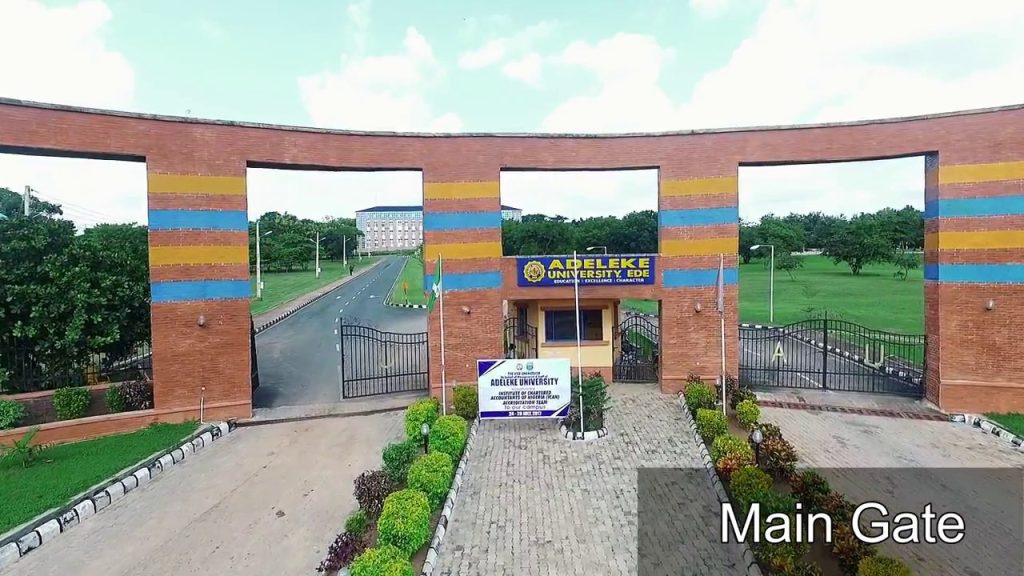
The management of Adeleke University, Ede, Osun State, Nigeria, has suspended a part three Law student, Lawal Toheeb, for failure to attend the university’s chapel activities which takes place 8.45am to 9.15am on Saturdays and in the evenings of Wednesdays and Saturdays, as contained in page 49 of the student’s handbook. Lawal Toheeb was invited to face the disciplinary committee on 3rd Decemeber, 2019, at the Senate Building of the school chaired by the school registrar, Mr. Oyerinde Caleb Oyejola.
Lawal was found guilty of gross disrespect to Constituted Authority by the school disciplinary committee. The Vice-Chancellor subsequently approved his suspension from all academic activities in the University for One Semester to commence second semester of 2019/2020 academic session in line with the sanction in the Students’ Handbook
According to Lawal Toheeb, all his pleas to the panel that he is a Muslim fell on their deaf ears. He said they all alluded to the fact it was a mandatory rule of the school that all students must attend the chapel services.
Join Our Community
Stay connected with the latest updates, exclusive content, and be part of our growing community!
Latest Posts
View All2020 UTME: Police arrest four agents over JAMB form fraud
Four agents of the Joint Admissions and Matriculation Board (JAMB) have been arrested by the examination body.
They were arrested for selling the ePINS for the ongoing 2020 Unified Tertiary Matriculation Examination (UTME) Direct Entry (DE) registrations above the stipulated amount.
The suspects were identified as Abdulrazak Adiza, Mathew Joe, Obekee Godday and Inyang Patrick.
JAMB’s spokesperson, Fabian Benjamin who confirmed the arrest in a statement said the cost of the ePINs is N3500 while that of the reading text is N500.
He added that any outlet caught selling the ePINS higher than the prescribed amount would be sanctioned immediately.
The statement reads: “It has come to the knowledge of the Board that agents of certain registered sale outlets are vending the JAMB Registration ePINs at a cost higher than the prescribed fee.
On Wednesday, January 15, 2020, one Amodu Friday was apprehended vending the ePINs above the regulated fee.
“Investigations also revealed that he was actually issuing receipts covering the regulated fee but collecting higher. This is a clear instance of criminality.”
Join Our Community
Stay connected with the latest updates, exclusive content, and be part of our growing community!
Latest Posts
View All14-year-old boy offers to sell his kidney to pay his school fees
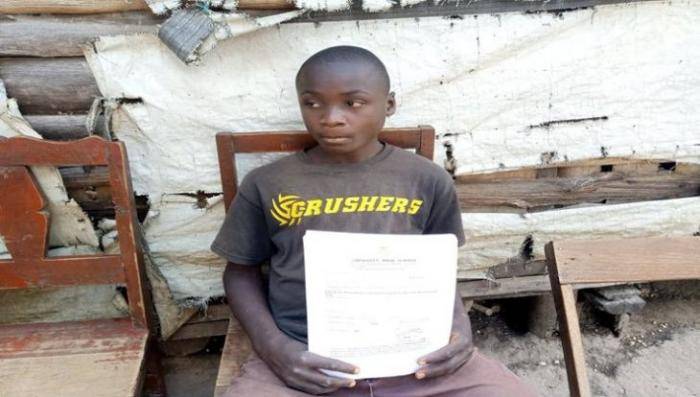
14-year-old Isaiah Wanjala from Gidea village in Kwanza Constituency, Trans Nzoia County of Kenya has expressed readiness to sell his kidney to fund his secondary school education. This decision according to Isaiah came after his parents inability to raise money and send him to school.

Isaiah who is a 5th child from a family of 9, and was admitted to Chewoiyet Boys High School after scoring 394 in 2019 Kenya Certificate of Primary Education examinations, he was unable to raise the required Sh50,000 to join the national school based in West Pokot County.
Isaiah’s aged parents have however appealed to good-hearted individuals to help their son achieve his dream of becoming an engineer, as all pleas to dissuade him from going ahead with his plans of selling his kidney fell on deaf ears.
Join Our Community
Stay connected with the latest updates, exclusive content, and be part of our growing community!
Latest Posts
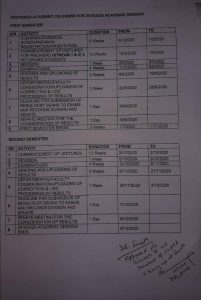
View AllLagos State University Releases Proposed Academic Calendar for 2019/2020 Academic Session

Join Our Community
Stay connected with the latest updates, exclusive content, and be part of our growing community!
Latest Posts
View AllSanwo-Olu’s Special Adviser, Bonu Solomon, Offers Scholarship to 200 in Badagry
The Special Adviser to Babajide Sanwo-Olu on Tourism Mr Solomon Bonu has offered scholarships to 200 newly admitted indigenous Badagry students in Lagos State Tertiary institutions.
At the Award Ceremony which was held on Wednesday 15th January, 2020 at Badagry Town Hall, Bonu noted that this is not a new initiative as he has been paying fees for those who could not afford to pay since his lecturing days at LASU.
The scholarship was awarded to 100 newly-admitted students from LASU alongside 50 students from LASPOTECH and AOCOED respectively.
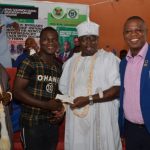
The event witnessed the presence of the newly inaugurated 30th Lagos State University Students’ Union President, Comrade Ashade Basit who appreciated the efforts of Mr. Solomon Saanu Bonu noting that “this is unprecedented and uncommon among the political class” while considering the short pace of time Bonu assumed office.
In his reactions, Bonu noted that “what I am doing here today has always been my desire for my community especially as a less privileged person too who worked tirelessly, do rigorous petty businesses before I could afford my school fees years back.
More also as a lecturer I have had to pay school fees of a few number of students who pass through academic financial challenges.”
Join Our Community
Stay connected with the latest updates, exclusive content, and be part of our growing community!
Latest Posts
View AllSanwo-Olu’s Special Adviser, Bonu Solomon, Offers Scholarship to 200 in Badagry
The Special Adviser to Babajide Sanwo-Olu on Tourism Mr Solomon Bonu has offered scholarships to 200 newly admitted indigenous Badagry students in Lagos State Tertiary institutions.
At the Award Ceremony which was held on Wednesday 15th January, 2020 at Badagry Town Hall, Bonu noted that this is not a new initiative as he has been paying fees for those who could not afford to pay since his lecturing days at LASU.
The scholarship was awarded to 100 newly-admitted students from LASU alongside 50 students from LASPOTECH and AOCOED respectively.
The event witnessed the presence of the newly inaugurated 30th Lagos State University Students’ Union President, Comrade Ashade Basit who appreciated the efforts of Mr. Solomon Saanu Bonu noting that “this is unprecedented and uncommon among the political class” while considering the short pace of time Bonu assumed office.
In his reactions, Bonu noted that “what I am doing here today has always been my desire for my community especially as a less privileged person too who worked tirelessly, do rigorous petty businesses before I could afford my school fees years back.
More also as a lecturer I have had to pay school fees of a few number of students who pass through academic financial challenges.”
Join Our Community
Stay connected with the latest updates, exclusive content, and be part of our growing community!
Latest Posts
View AllJAMB Suspends 2020 UTME/DE Registration in 243 centres
The Joint Admissions and Matriculation Board (JAMB) has disclosed that the ongoing 2020 Unified Tertiary Matriculation Examination (UTME)/Direct Entry (DE) registration has been temporarily suspended in about 243 centres across the country. The board’s Head of Media and Information, Dr Fabian Benjamin, stated this yesterday in an interview with the newsmen in Lagos.
According to him, the suspension of the registration in the affected centres is to allow the board to conduct a third-party recruitment examination holding today, January 16, 2020.
Registration will resume in the affected centres by January 17th, 2020. The list of the affected centres is contained on the attached PDF file below;
Euqn1ieyiUauSyGaBJGyRyXmYvUOpxSep5VhHqFE
Join Our Community
Stay connected with the latest updates, exclusive content, and be part of our growing community!
Latest Posts
View AllJAMB Arrests 2020 UTME/DE e-PIN Agents For Extortion of Candidates
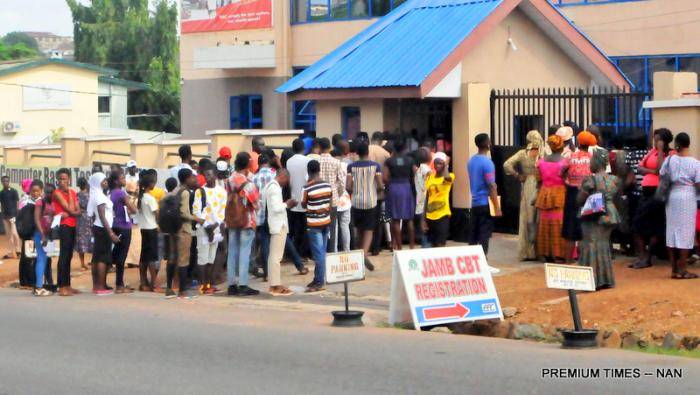
The Joint Admissions and Matriculation Board (JAMB), on Tuesday, arrested some agents of one of the online payment services for Unified Tertiary Matriculation Examination (UTME), for allegedly charging above the approved cost by the Board. This was disclosed by JAMB’s Head of Media, Dr Fabian Benjamin, while monitoring the ongoing UTME/Direct Entry (DE) registration in Bwari, Abuja
According to him, the agents, who worked for Unified Payments Services (UPS), charged some candidates the sum of N4,500, as against the approved cost of N4,000, for the registration.
He described this as unfortunate and disappointing as the board prior to the commencement of the registration has a meeting with the accredited vendors and agreed that out of the N3,500 generated for each e-pin, they have a N210 commission.
He said the board, based on the Federal Government’s directive decided to sell the forms for nothing more than N4,000; N3,500 for e-pin and N500 for the English reading text.
We pointed this out to vendors that it was a presidential directive so that Nigerians are not exploited and we are ready to protect this.
“For any agent to sell above the approved price is unlawful and unacceptable; as we speak now, United Payments Service has been suspended from the sale of the 2020 UTME/Direct Entry (DE) forms,” Benjamin said.
Benjamin also said that the board had set out a team of investigators across all its centres nationwide to fish out those who perpetrate acts that were contrary to the rules and regulations of the board.
He also said that any bank or selling outlet that sells N1 above the approved price would be suspended and whatever deposit they had with JAMB would be confiscated.
Benjamin also advised candidates against registering from public examination tutorial teachers as they were not accredited vendors of the board.
Whoever registers with them, he said, would be disqualified from sitting for the examinations.
He, however, explained that the agents, who were caught in the act, had been asked to return the extra N500 they charged to the candidates and had since been handed over to the Police for further investigation.
Join Our Community
Stay connected with the latest updates, exclusive content, and be part of our growing community!